> ## Documentation Index
> Fetch the complete documentation index at: https://help.zctc.cc/llms.txt
> Use this file to discover all available pages before exploring further.

# 新增

## 1、新增模块大类

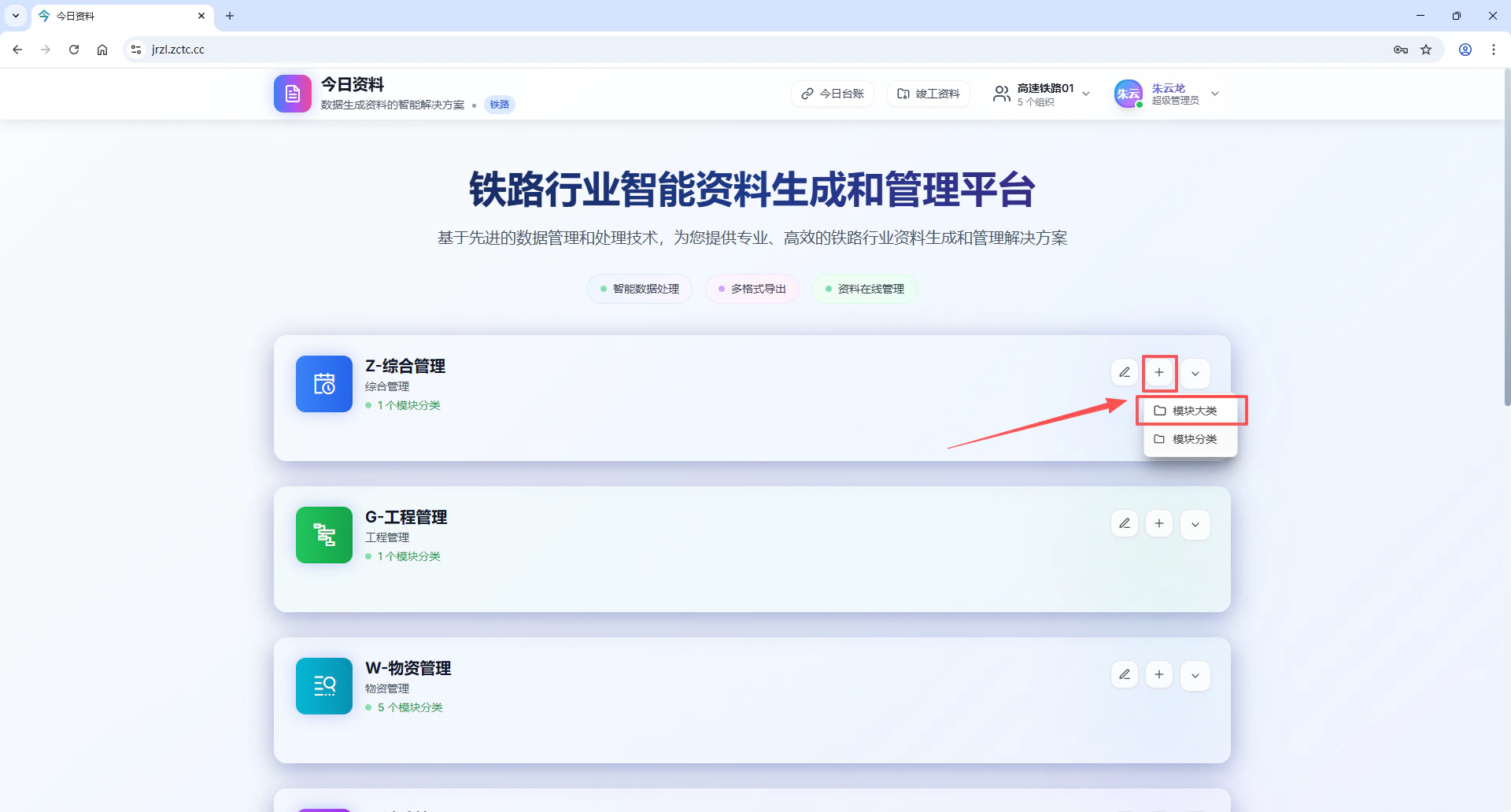
点击模块右上角的“+”号，选择模块大类选项

<img src="https://mintcdn.com/tao5g/4LOp4SvP2AYBJ5sD/images/image-3.png?fit=max&auto=format&n=4LOp4SvP2AYBJ5sD&q=85&s=deaa992ad3ff75cd1a60312dc4ba12e1" alt="Image" width="1920" height="1032" data-path="images/image-3.png" />

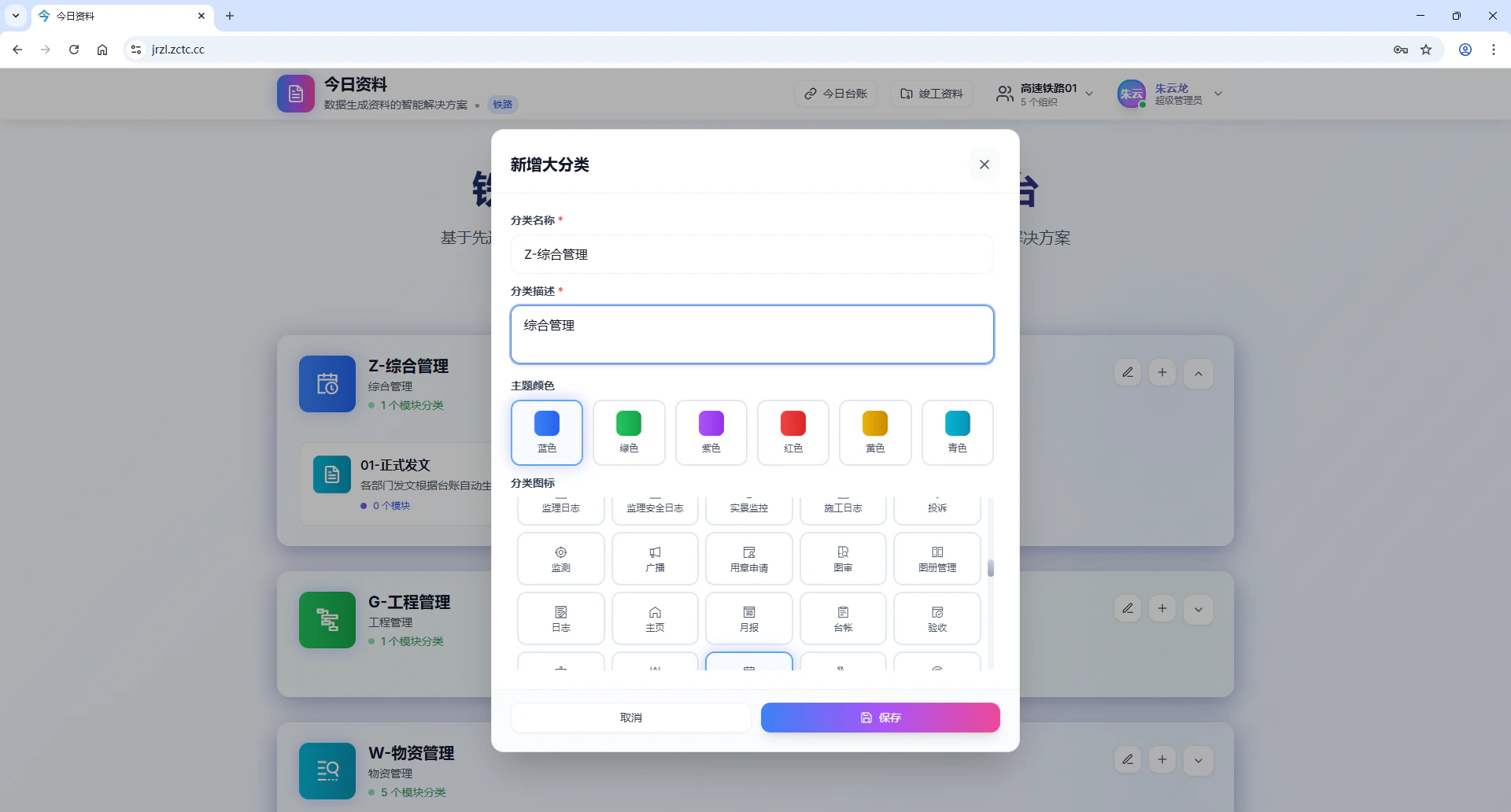
填写分类名称，例如“Z-综合管理”，填写分类描述，选择主题颜色、分类图标，点击保存创建模块大类。

<img src="https://mintcdn.com/tao5g/4LOp4SvP2AYBJ5sD/images/image-8.png?fit=max&auto=format&n=4LOp4SvP2AYBJ5sD&q=85&s=0ced493e6ce105a4734345e1cb57e57c" alt="Image" width="1920" height="1032" data-path="images/image-8.png" />

## 2、新增模块分类

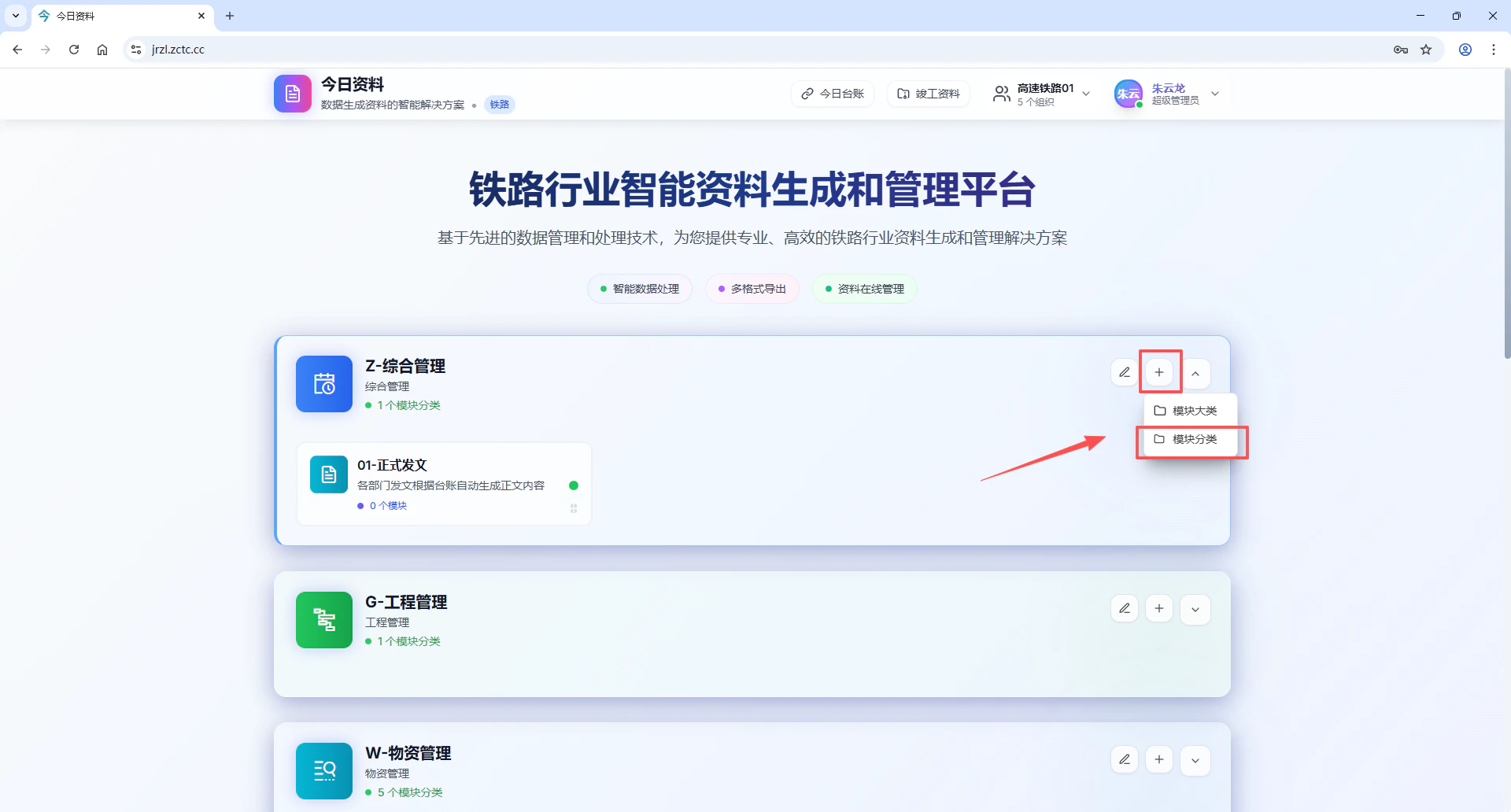
点击模块右上角的“+”号，选择模块分类选项

<img src="https://mintcdn.com/tao5g/4LOp4SvP2AYBJ5sD/images/image-7.png?fit=max&auto=format&n=4LOp4SvP2AYBJ5sD&q=85&s=9c554144e91c9b88b1e8d80ddf1b6882" alt="Image" width="1920" height="1032" data-path="images/image-7.png" />

填写分类名称，例如“01-正式发文”，填写分类描述，选择主题颜色、分类图标，点击保存创建模块分类。

## 3、模块分类下新增模块

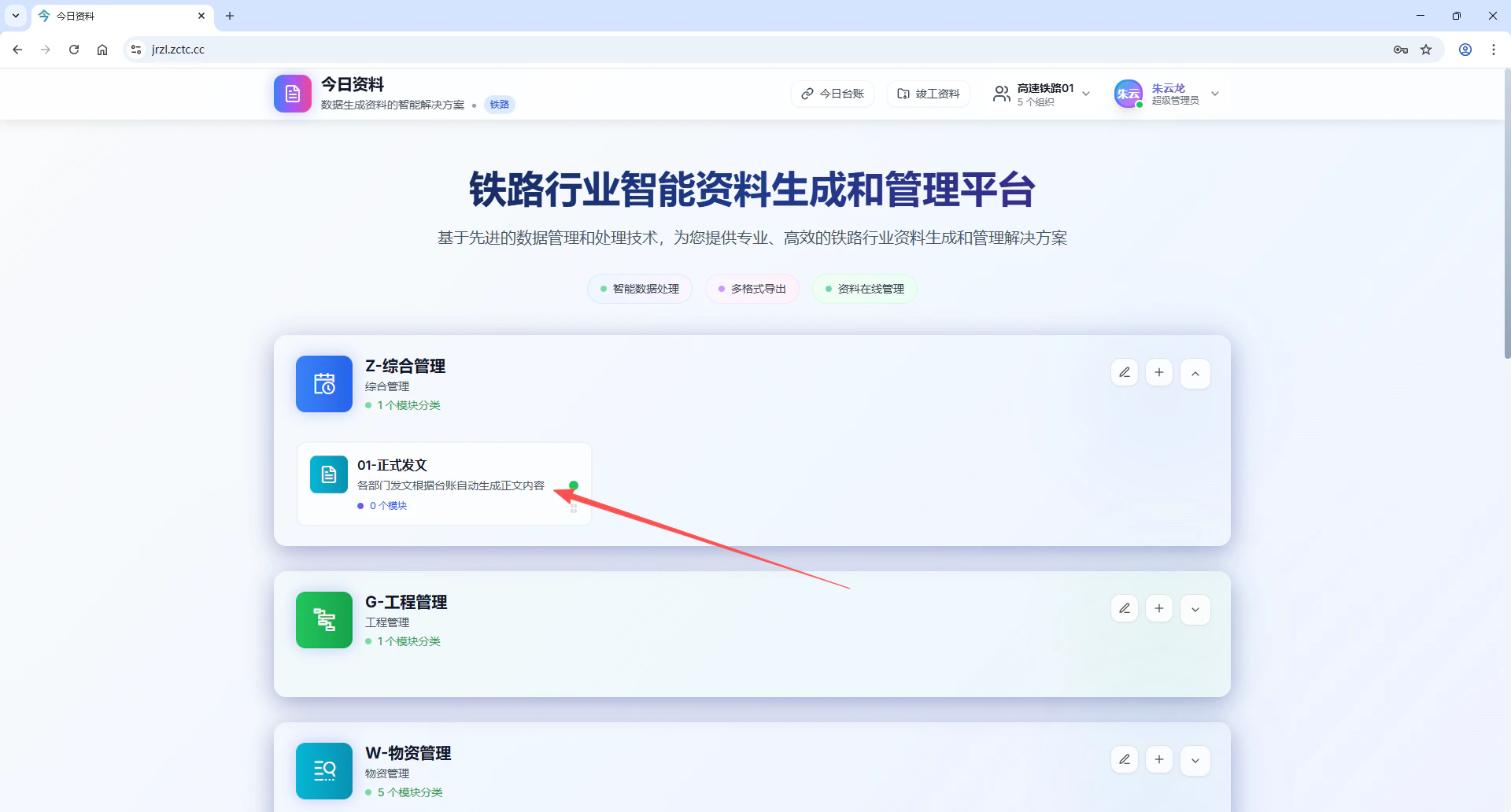
选择需要新增模块的模块分类，

<img src="https://mintcdn.com/tao5g/4LOp4SvP2AYBJ5sD/images/image-9.png?fit=max&auto=format&n=4LOp4SvP2AYBJ5sD&q=85&s=8667b0f1a5cc702711f1f2b1e7c15bdc" alt="Image" width="1920" height="1032" data-path="images/image-9.png" />

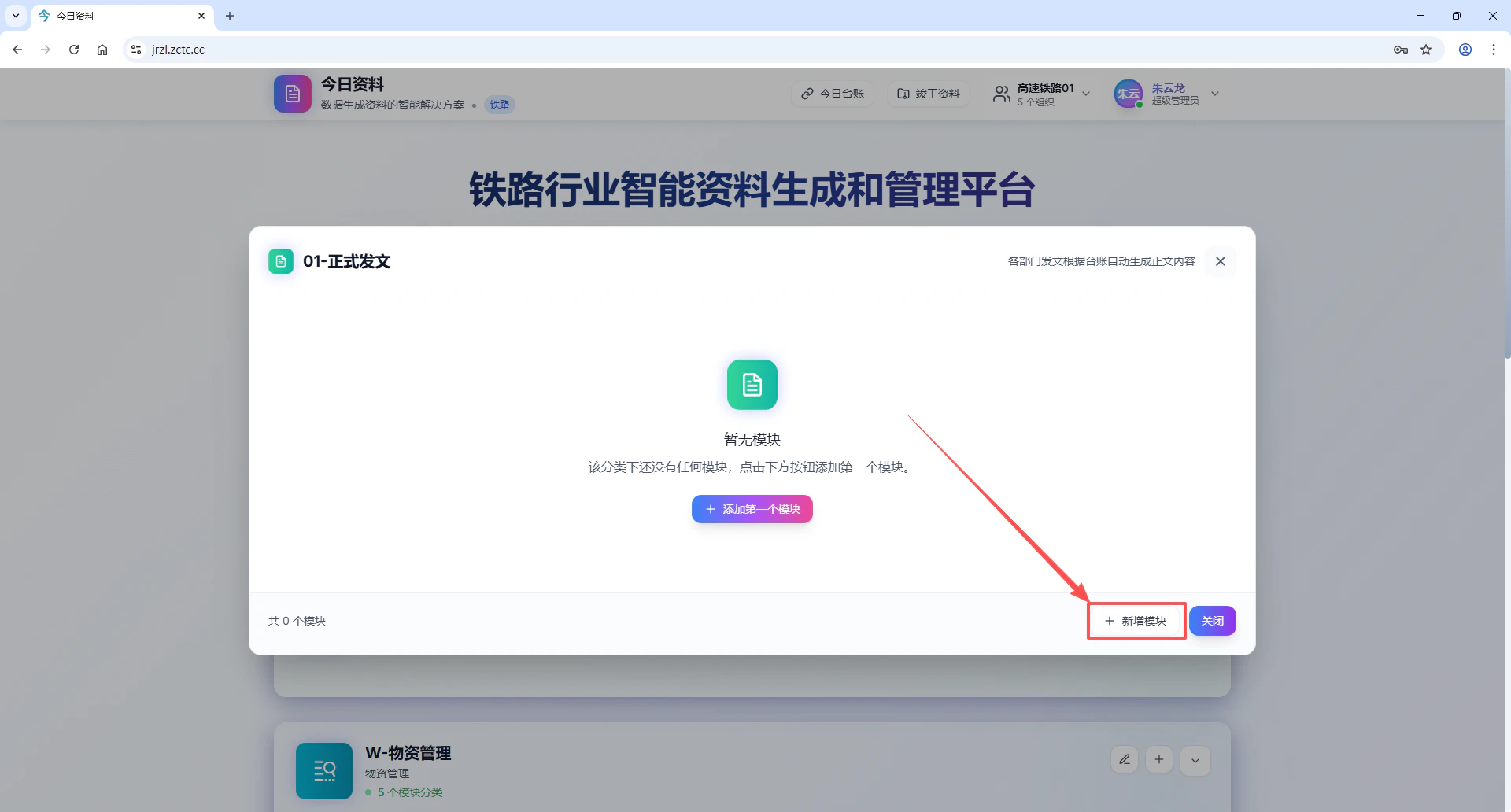
点击右下角的“新增模块”

<img src="https://mintcdn.com/tao5g/IBW_TKdz-SvsXBEz/images/image-10.png?fit=max&auto=format&n=IBW_TKdz-SvsXBEz&q=85&s=23cd7116e6472570d0ec975df7c00d4e" alt="Image" width="1920" height="1032" data-path="images/image-10.png" />

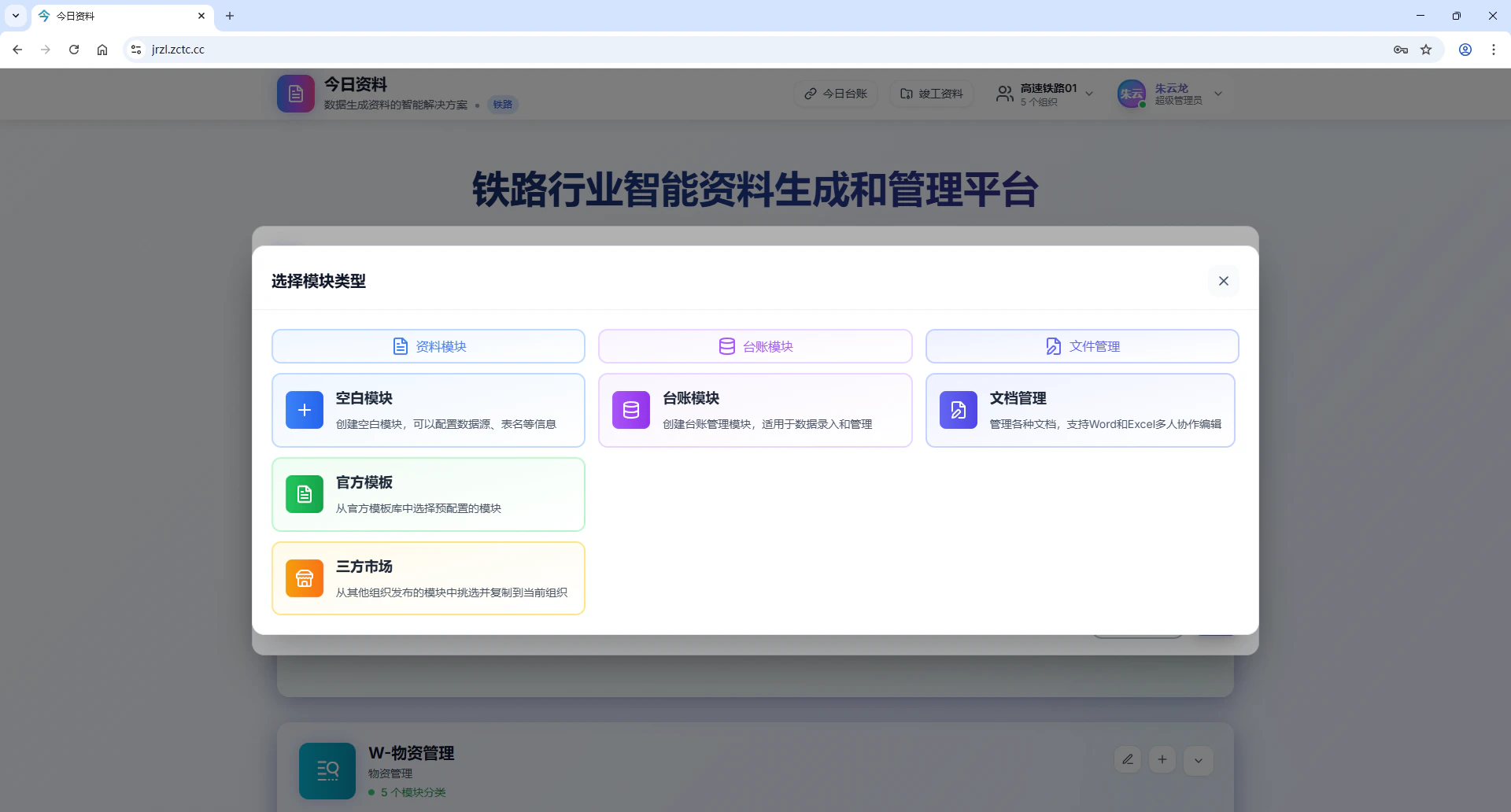
选择所需要的模块类型，模块类型包括资料模块（空白模块、官方模版、三方市场）、台账模块、文件管理

<img src="https://mintcdn.com/tao5g/IBW_TKdz-SvsXBEz/images/ScreenShot_2026-02-01_184246_658.png?fit=max&auto=format&n=IBW_TKdz-SvsXBEz&q=85&s=9dd2c7b6e3cf2db374bb38d95799863a" alt="Screen Shot 2026 02 01 184246 658" width="1920" height="1032" data-path="images/ScreenShot_2026-02-01_184246_658.png" />